Check and redeem rewards
Earn Qwik Points for every purchase and redeem them for wallet credit.
2 min readUpdated August 2026
Step 1: How to check your points
- Open the QwikPay User App.
- Select the Rewards option from the menu.
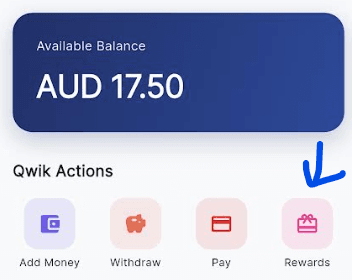
- View your existing Qwik Points balance.
Step 2: Earning points
You earn 1 Qwik Point for every $1 spent at QwikPay merchants.
The more you use QwikPay, the more points you accumulate. There's no limit to how many points you can earn!
Step 3: How to redeem
- Open the Rewards section in your QwikPay User App.
- Select Redeem Points.
- Submit the required redemption form.
- Once your points are redeemed, the equivalent QwikPay $ value will be added to your wallet.
- Use your wallet credit to make purchases at participating QwikPay businesses.
Step 4: Benefits
Redeeming your points gives you:
- Free wallet credit based on your purchases
- Rewards for your loyalty
- More value from every QwikPay transaction
Related articles
Still need help?
Our support team can help with your account.