Sign up for QwikPay
Download the app and create your QwikPay account in just a few minutes.
2 min readUpdated August 2026
1
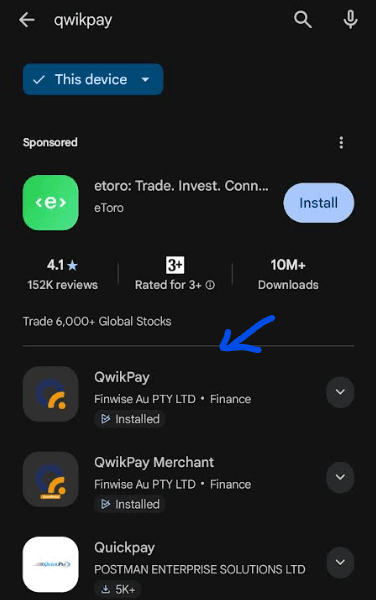
Download the QwikPay app
Search for the QwikPay User App on your device's app store:
- Apple App Store (for iPhone, iPad)
- Google Play Store (for Android)
Download and install the QwikPay User App on your mobile device.
2
Create your account
- For new users, select Create an Account on the sign-in page.
- Follow the prompts to complete your registration.
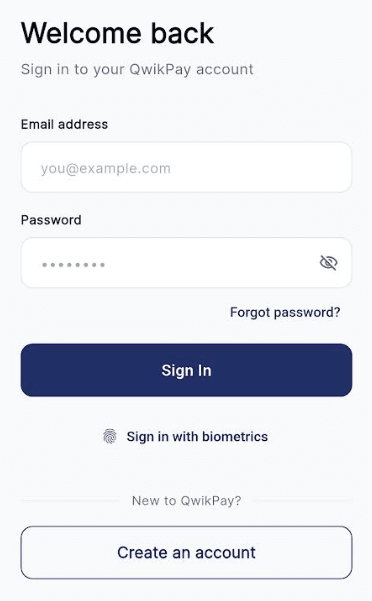
- Provide the required information to set up your profile.
- Once all required fields have been completed, your QwikPay User account will be ready to use.
Step 3: You're all set!
You can now start making payments at QwikPay merchants. The next step is to add funds to your wallet.
Related articles
Still need help?
Our support team can help with your account.