Refund a transaction
Process full refunds for QwikPay transactions through your merchant portal.
2 min readUpdated August 2026
Step 1: How to refund a transaction
You can refund transactions accepted through QwikPay via the QwikPay Merchant Portal.
Step 2: Steps to refund
- Log in to your merchant account: Merchant Login
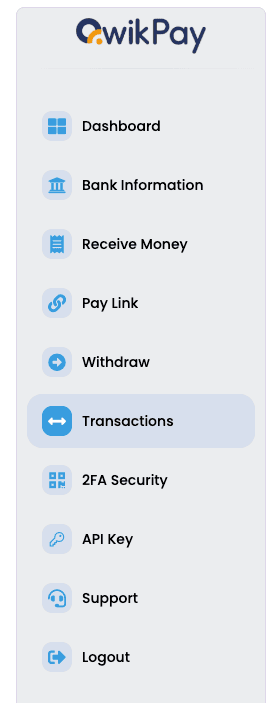
- Click on "Transactions" from the sidebar.
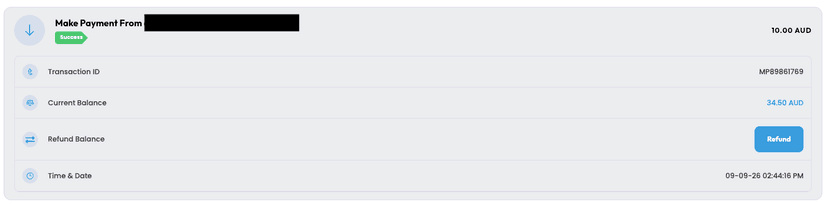
- Select the transaction you would like to refund.
- Click the "Refund" button.
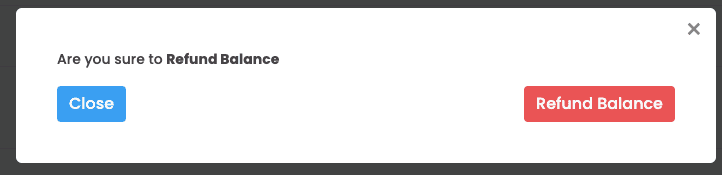
- You will receive an acknowledgement popup to finalise the refund — click "Refund Balance" to confirm.
Step 3: Important information
Full refunds only
Merchants can currently only refund a transaction in full. Partial refunds are not yet supported.
If you need assistance with a refund, please raise a support ticket and our team will be happy to help.
Related articles
Still need help?
Our support team can help with your account.