Request a withdrawal
Withdraw your QwikPay merchant payments to your verified bank account.
3 min readUpdated August 2026
Step 1: On-demand withdrawals
As a verified QwikPay merchant, you are eligible for on-demand withdrawals. On-demand withdrawals are limited to one per working day.
1
Submit a withdrawal request
- Log in to your merchant account: Merchant Login
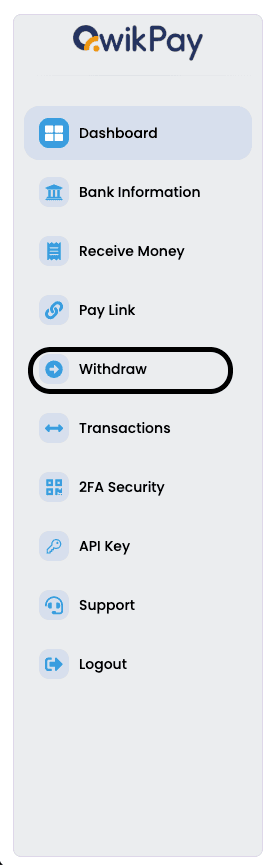
- Select "Withdrawal" from the dashboard sidebar.
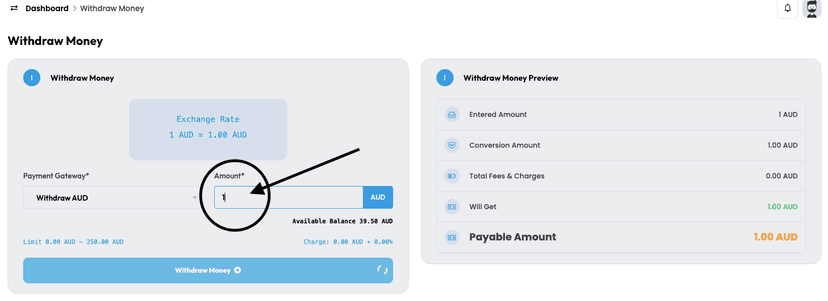
- Enter the amount you'd like to withdraw and click "Withdraw Money."
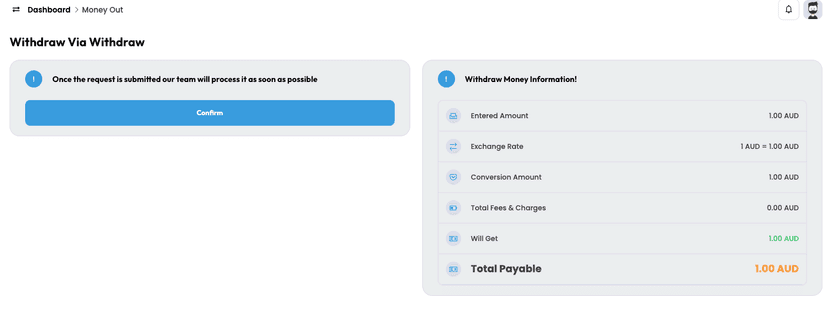
- Review the details and confirm your request.
- Once submitted, you can track the status of your withdrawal in the transaction history below.
2
Processing time
- Requests are typically processed within 1–3 hours when submitted during business hours.
- Once your request is approved and funds are transferred, you'll receive a confirmation email with the withdrawal status.
Related articles
Still need help?
Our support team can help with your account.