
Big invoices, big card fees. Get paid before they pick up the keys.

Automotive invoices are large, so the card fee on each one is large too. Ask customers to download QwikPay when they book. When the car is ready, they pay in the app from wherever they are, and pickup takes seconds.

Built for mechanics and auto repairs, tyre shops, auto parts, detailing and car wash, panel beaters.

9:41
YWYour workshop

Text Message · SMS
Today 4:10 pm

Hi Tom, your Hilux is booked in for Thursday at 8am. When it is ready we will text you the total, and you can pay from the QwikPay app using our email, hello@yourworkshop.com.au. Download it here and have it ready: qwikpay.com.au/download. You earn reward points on every service, and it helps a local workshop keep 100% of what you pay. Thanks, Your workshop
QwikPay
QwikPay: pay and earn points
qwikpay.com.au
Text Message
Booking confirmation
$900

for a typical service and repair, and the card fee can pass $10.

Large invoices carry large card fees, and since 1 October 2026 you cannot pass them on. Getting customers onto the QwikPay app keeps the whole invoice with you. QwikPay charges merchants zero transaction fees.

Where QwikPay fits in your day

01

Pay from work when the car is ready

Text the customer that the car is ready with the total. They open QwikPay, enter your registered email and pay before they arrive.

02

A QR at the service desk

For walk-ins, tyres and parts sales, customers scan the board at the counter and pay from their wallet.

03

Deposits for parts

Ordering an expensive part? The customer pays a deposit in the app first. A Pay Link is an option for anyone without the app yet.

In the app

No card details, no terminal, nothing added at checkout.

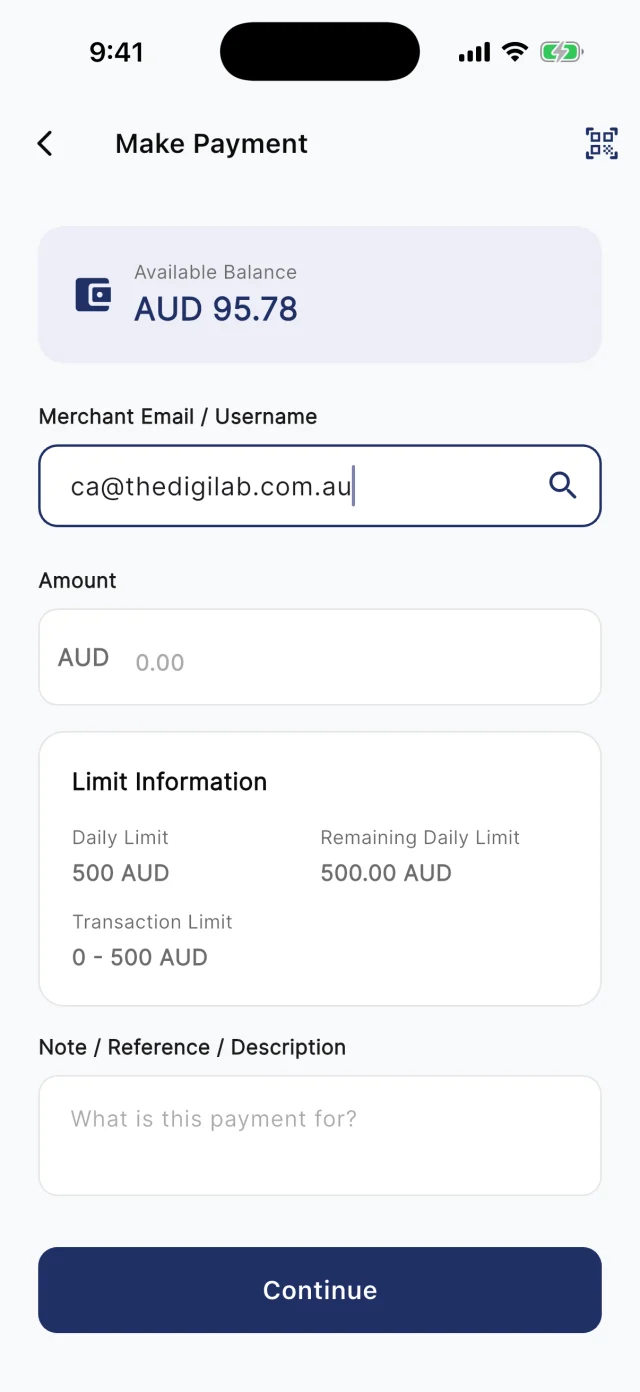
At the counter, customers scan your board. Away from it, they type your registered email into Make Payment. Either way they check the amount and pay from their QwikPay wallet, and every payment earns them points.

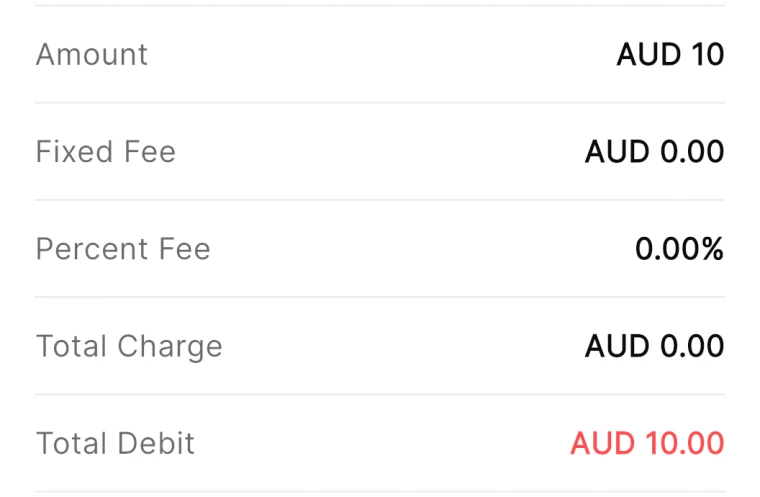
QwikPay review screen showing a fixed fee of AUD 0.00 and a percent fee of 0.00%
The review screen before every payment
QwikPay Make Payment screen with a merchant email entered
Paying by the business's email
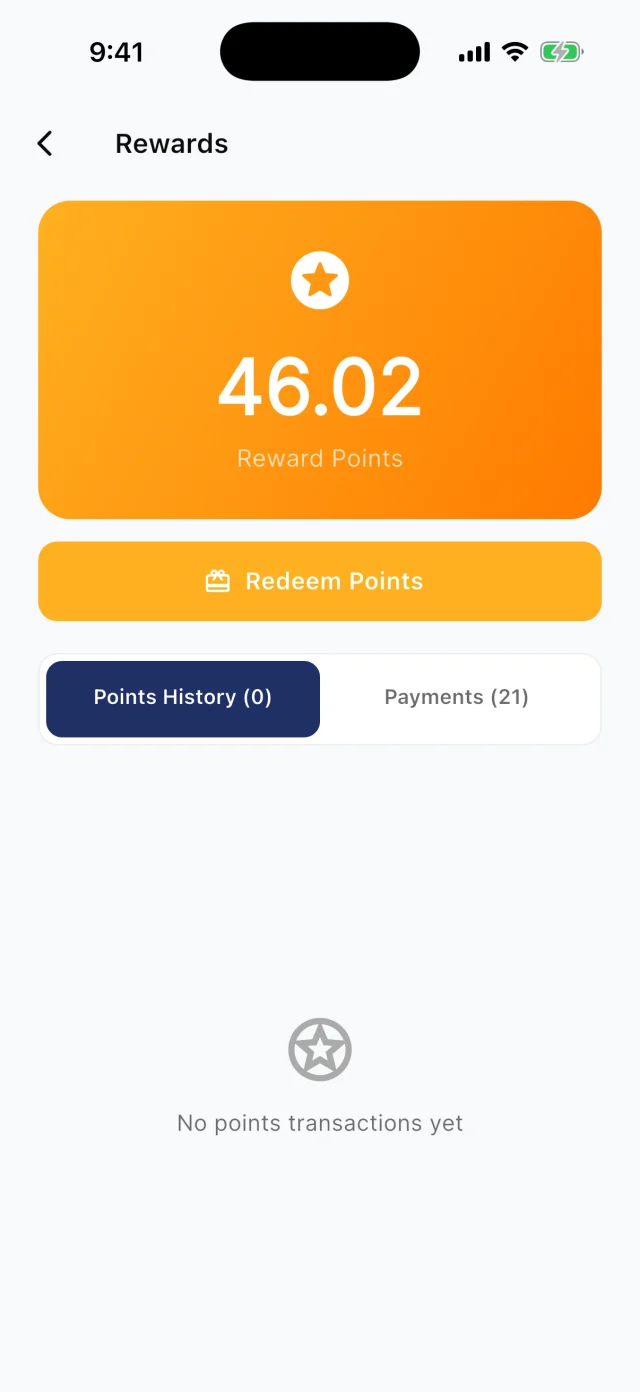
QwikPay Rewards screen showing a reward points balance
Points from every payment

Your first customers

They already buy from you. Start there.

You do not need new customers to get started. Ask the ones you have to download QwikPay and have it ready for their next visit. They earn points, they can follow you for offers, and you keep 100% of what they pay.

Booking confirmation · Text

Hi Tom, your Hilux is booked in for Thursday at 8am. When it is ready we will text you the total, and you can pay from the QwikPay app using our email, [your QwikPay email]. Download it here and have it ready: qwikpay.com.au/download. You earn reward points on every service, and it helps a local workshop keep 100% of what you pay. Thanks, [your business]

Swap in your registered QwikPay email before you send it.
  1. 1

    Ask at drop-off

    "Download QwikPay before we text you. You can pay from work when it is ready and earn points on the service."

  2. 2

    Put it in the booking confirmation

    Every booking text includes the download link and your QwikPay email, so customers are ready before the job is done.

  3. 3

    Start with fleet and regular customers

    Tradies, small fleets and families who service every six months are worth a personal word.

  4. 4

    Poster in the waiting area

    Customers waiting on a tyre fit have 30 minutes and a phone. Give them something to download.

A normal week

Two ways it plays out at a workshop

Car ready, paid before pickup

A mechanic finishes a $650 service at 3pm and the customer picks up at 5pm.

  1. The booking text asked them to download QwikPay
  2. At 3pm, text that the car is ready with the total
  3. They pay in the app using your email, and pickup takes 30 seconds

What changes

No queue at the counter at 5pm, and 100% of the invoice kept.

Coming with QwikClub

Service time, won back

A tyre shop wants last year's customers back for their next rotation.

  1. Customers who paid with QwikPay follow your business in the app
  2. Post a whole-bill offer when rotation is due
  3. They book and pay with QwikPay

What changes

Customers return to you instead of the chain down the road.

Rewards and offers

The first payment is easy. The next visit is the point.

Every QwikPay payment earns your customer 1 Qwik Point per $1, which they turn into wallet credit at QwikPay businesses.

With QwikClub, customers with the app can follow your business. You choose an offer's discount, hours and how many people can use it, and your followers and nearby customers see it in the app.

Offers are coming with QwikClub

Your workshopWhole bill
10%off

Your next service this month

Applied when you payQwikPay

Service time offer

A whole-bill offer for followers when they are due for a service.

Your workshopQuiet hours
10%off

Labour on Monday and Tuesday bookings

Applied when you payQwikPay

Early-week bookings

Fill the workshop on quieter days.

Your workshopSelected items
20%off

A road trip safety check before Christmas

Applied when you payQwikPay

Seasonal checks

Discount a specific job, like a pre-holiday safety check.

Card surcharges are banned, but a clearly disclosed discount for paying with QwikPay is allowed. Keep the terms of each offer clear.

Questions we get asked

How does a customer pay when they are not at the workshop?

They open the QwikPay app, enter your registered email and pay the amount you texted them. You can send a Pay Link instead if they prefer.

Is there a limit on how much a customer can pay?

Yes. Customers can pay up to $1,000 a day with QwikPay, from a wallet they top up by PayID or PayTo. For a bigger job, take a deposit in the app when the parts are ordered and the balance at pickup.

What does it cost?

Zero transaction fees. You keep 100% of each QwikPay payment.

Start with the customers you already have.

Apply online. Once you are approved, your QR kit arrives and your regulars can pay you through QwikPay.

Fees
Zero transaction fees
At the counter
QR board and poster
Remote payments
In the app with your email
Manage it
Merchant App and Portal