Lock in the booking with a deposit. Take the balance on the day.

Event businesses take bookings weeks ahead and get paid in pieces. Ask clients to download QwikPay when they book. They pay the deposit in the app using your email, and scan your board for the balance on the day.

Built for face painters and entertainers, balloon and party stylists, mehndi and henna artists, photographers, small ticketed events.

9:41
Inbox
YB
Your business4:10 pm
To: Me
Your party booking for 14 December

Hi Leah, thanks for booking face painting on 14 December! The $100 deposit locks in your date, and you can pay it in the QwikPay app using our email, hello@yourbusiness.com.au. Download the app here: qwikpay.com.au/download. Keep it ready for the balance on the day too. You earn reward points, and it means we keep 100% of what you pay. Your business

Booking quote
$600

for a party package, whether it is paid in one go or two.

Deposits and balances each carry their own card fee. Since 1 October 2026 you cannot pass card fees on, so QwikPay keeps them with you. QwikPay charges merchants zero transaction fees.

Where QwikPay fits in your day

01

Deposits in the app

Clients open QwikPay, enter your registered email and pay the deposit. The date is locked in when it lands. A Pay Link is an option if they want one.

02

Balances on the day

Bring your QwikPay board to the event. The client already has the app, so the balance is a scan.

03

Guests are your next clients

At markets, festivals and parties, guests scan your board too and earn points. With QwikClub, they can follow you for your next date.

In the app

No card details, no terminal, nothing added at checkout.

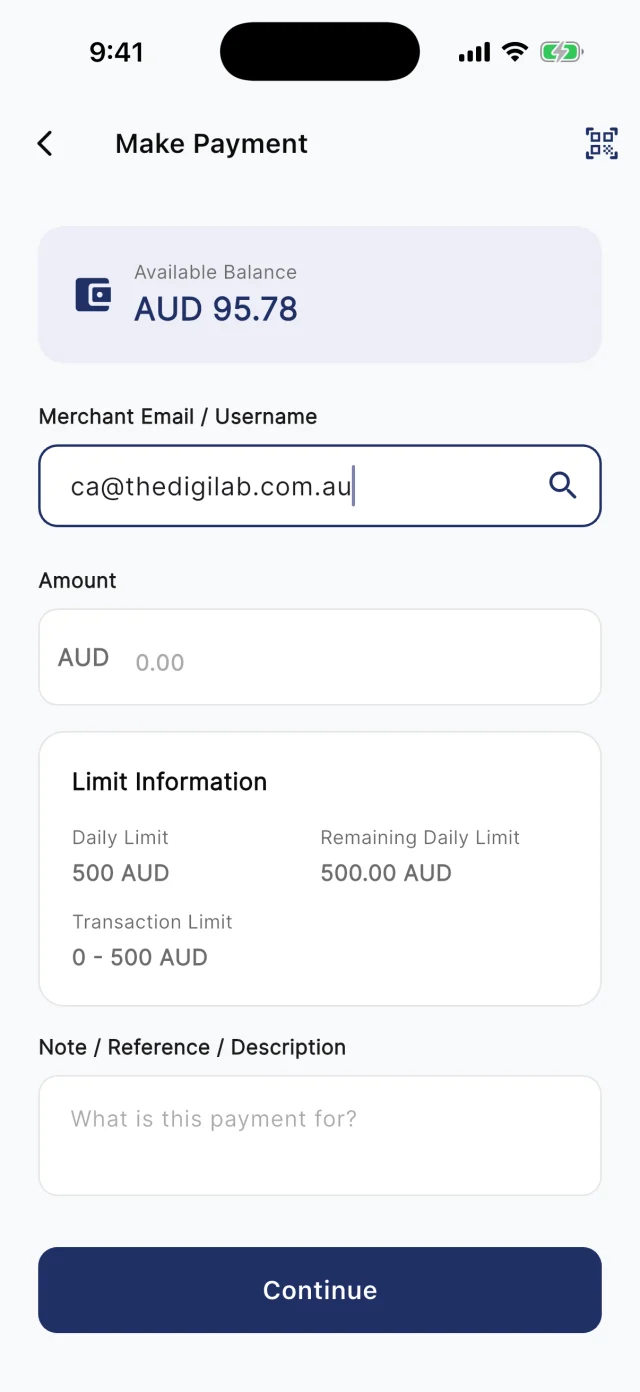
At the counter, customers scan your board. Away from it, they type your registered email into Make Payment. Either way they check the amount and pay from their QwikPay wallet, and every payment earns them points.

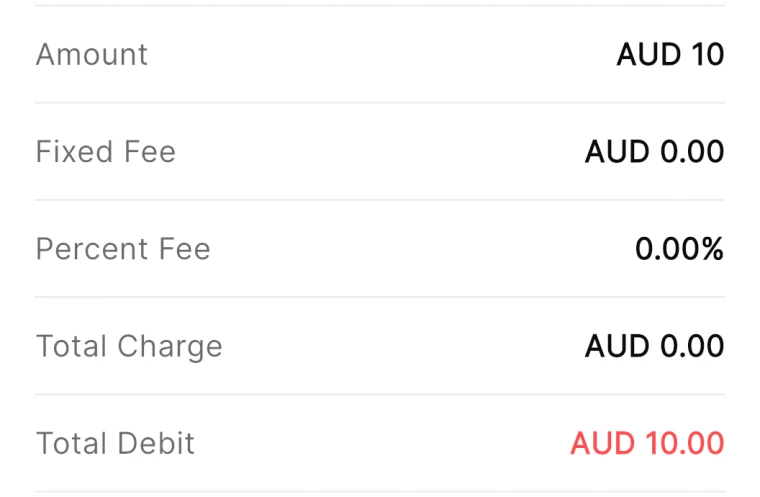
QwikPay review screen showing a fixed fee of AUD 0.00 and a percent fee of 0.00%
The review screen before every payment
QwikPay Make Payment screen with a merchant email entered
Paying by the business's email
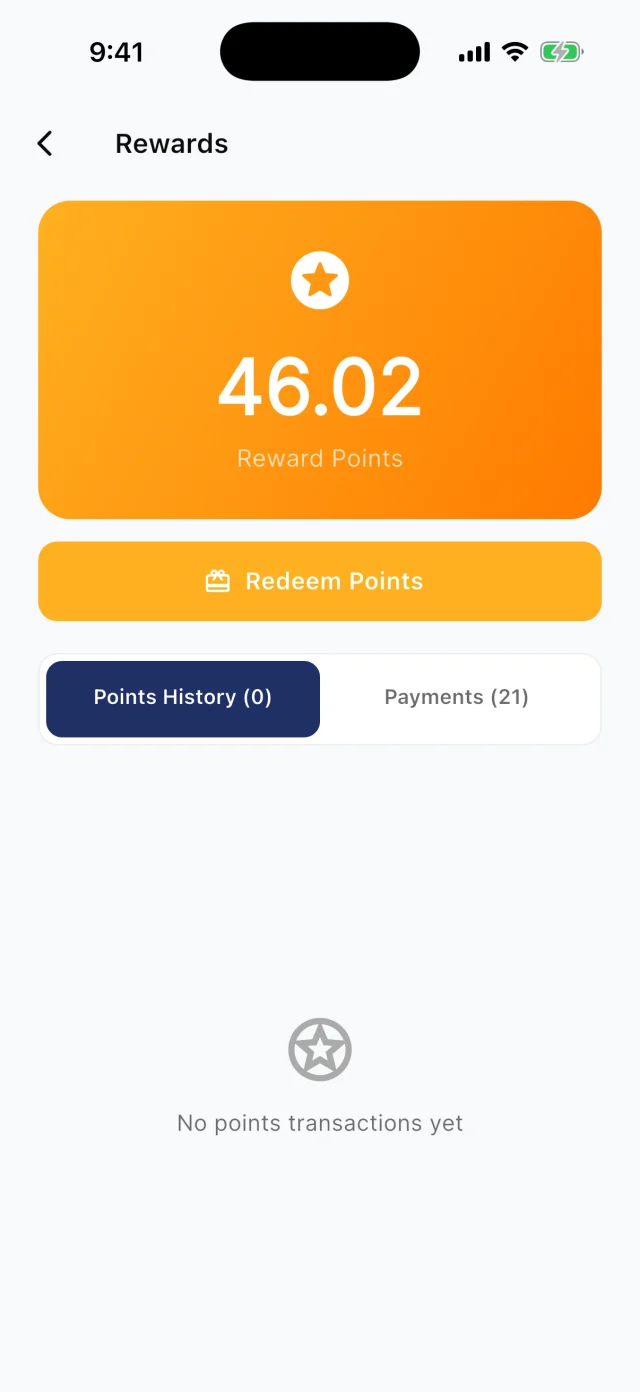
QwikPay Rewards screen showing a reward points balance
Points from every payment

Your first customers

They already buy from you. Start there.

You do not need new customers to get started. Ask the ones you have to download QwikPay and have it ready for their next visit. They earn points, they can follow you for offers, and you keep 100% of what they pay.

Booking quote · Email

Your party booking for 14 December

Hi Leah, thanks for booking face painting on 14 December! The $100 deposit locks in your date, and you can pay it in the QwikPay app using our email, [your QwikPay email]. Download the app here: qwikpay.com.au/download. Keep it ready for the balance on the day too. You earn reward points, and it means we keep 100% of what you pay. [your business]

Swap in your registered QwikPay email before you send it.
  1. 1

    Put it in every quote

    Your quote asks the client to download QwikPay and pay the deposit using your email.

  2. 2

    Bring the board to every event

    Guests at a party are your next clients. The board on your table shows how to pay you.

  3. 3

    Ask happy clients to keep the app

    After the event, send a thank-you and ask them to keep QwikPay for next time. With QwikClub, they can follow your business too.

  4. 4

    Show it on your socials

    Post your setup with the board in shot. Parents planning parties notice the details.

A normal week

Two ways it plays out at a business

Kids party bookings

A face painter books parties a month ahead and loses dates to late cancellations.

  1. The quote asks the client to download QwikPay
  2. They pay a $100 deposit in the app using your email
  3. The balance is a scan of your board at the party

What changes

Fewer cancellations and payment sorted before you pack up.

Coming with QwikClub

Quiet months

An entertainer is booked out in December and quiet in February.

  1. Post a whole-bill offer for February bookings
  2. Past clients who follow you see it in the app
  3. They book and pay the deposit with QwikPay

What changes

A steadier calendar across the year.

Rewards and offers

The first payment is easy. The next visit is the point.

Every QwikPay payment earns your customer 1 Qwik Point per $1, which they turn into wallet credit at QwikPay businesses.

With QwikClub, customers with the app can follow your business. You choose an offer's discount, hours and how many people can use it, and your followers and nearby customers see it in the app.

Offers are coming with QwikClub

Your businessWhole bill
15%off

February and March bookings

Applied when you payQwikPay

Quiet month bookings

Discount the whole booking for dates you want to fill.

Your businessFlash offer
20%off

A booking this Saturday, one spot

Applied when you payQwikPay

Last-minute date

A cancellation opens a Saturday. Post a flash offer to fill it.

Card surcharges are banned, but a clearly disclosed discount for paying with QwikPay is allowed. Keep the terms of each offer clear.

Questions we get asked

How do clients pay a deposit?

They open the QwikPay app, enter your registered email and pay. You can send a Pay Link instead if they prefer.

Do I need a terminal at events?

No. Bring your QwikPay board. Customers scan and pay from their phone.

What does it cost?

Zero transaction fees. You keep 100% of each QwikPay payment.

Start with the customers you already have.

Apply online. Once you are approved, your QR kit arrives and your regulars can pay you through QwikPay.

Fees
Zero transaction fees
At the counter
QR board and poster
Remote payments
In the app with your email
Manage it
Merchant App and Portal