
Your clients rebook every few weeks. Make every visit fee free.

Beauty businesses live on rebooking. Clients come back every 2 to 6 weeks, so one message asking them to download QwikPay pays off for years. They arrive with the app ready, scan at reception and earn points on every visit.

Built for nail salons, lash and brow studios, hair salons and barbers, skin and aesthetics clinics, day spas and massage.

9:41
YSYour salon

Text Message · SMS
Today 4:10 pm

Hi Mia, see you Thursday at 10am for your lash refill! Before you come in, please download the QwikPay app and have it ready: qwikpay.com.au/download. You earn reward points every time you pay with us, and it means we keep 100% of what you pay. See you soon! Your salon
QwikPay
QwikPay: pay and earn points
qwikpay.com.au
Text Message
Appointment reminder
$1,500

a year from one client on a $90 lash refill every three weeks.

Rebooking clients pay you the same way, visit after visit. Since 1 October 2026 you cannot surcharge cards, so the card fees on all of those visits come out of your margin. QwikPay charges merchants zero transaction fees.

Where QwikPay fits in your day

01

Ready before the appointment

Add one line to your booking reminder asking clients to download QwikPay and have it ready. At the end of the appointment they scan your board and pay.

02

A QR at reception

Walk-ins and add-ons are paid the same way: open the app, scan, done. No waiting for the terminal at your busiest time.

03

Deposits without card details

For colour, extensions or bridal bookings, clients pay the deposit in the app using your registered email. A Pay Link is there as an option for anyone who wants one.

In the app

No card details, no terminal, nothing added at checkout.

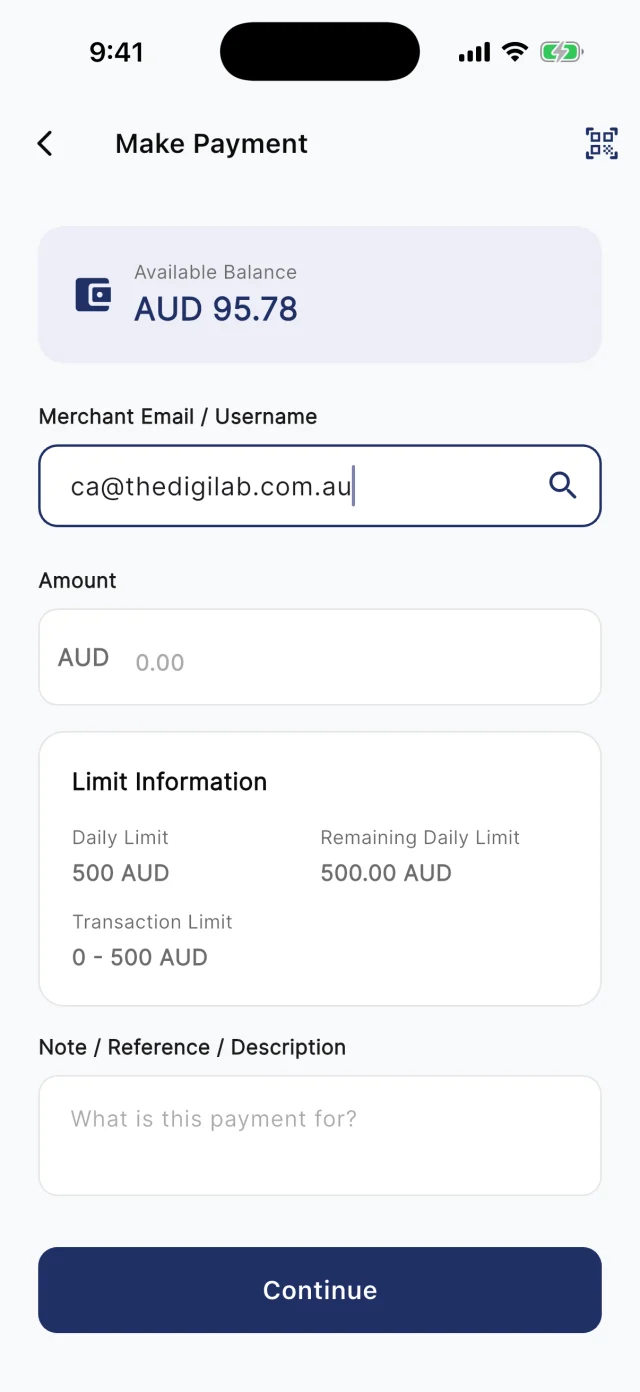
At the counter, customers scan your board. Away from it, they type your registered email into Make Payment. Either way they check the amount and pay from their QwikPay wallet, and every payment earns them points.

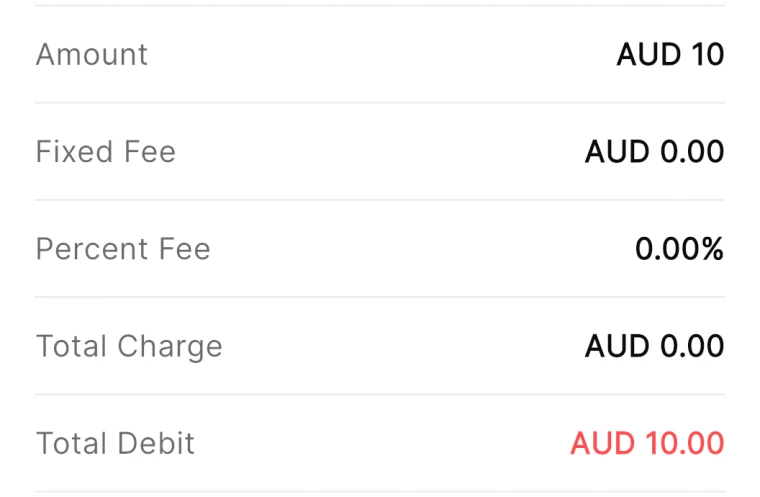
QwikPay review screen showing a fixed fee of AUD 0.00 and a percent fee of 0.00%
The review screen before every payment
QwikPay Make Payment screen with a merchant email entered
Paying by the business's email
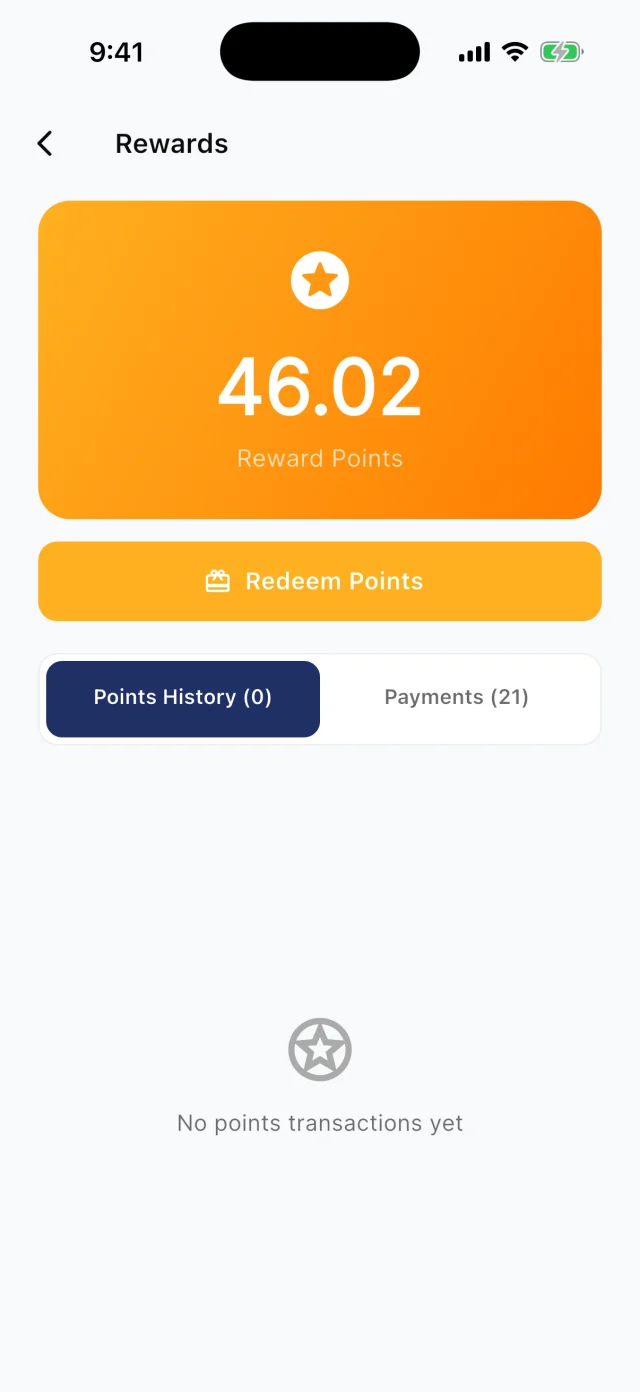
QwikPay Rewards screen showing a reward points balance
Points from every payment

Your first customers

They already buy from you. Start there.

You do not need new customers to get started. Ask the ones you have to download QwikPay and have it ready for their next visit. They earn points, they can follow you for offers, and you keep 100% of what they pay.

Appointment reminder · Text

Hi Mia, see you Thursday at 10am for your lash refill! Before you come in, please download the QwikPay app and have it ready: qwikpay.com.au/download. You earn reward points every time you pay with us, and it means we keep 100% of what you pay. See you soon! [your business]

  1. 1

    Ask at the chair

    Your clients trust you, and you have their attention for an hour. "Before your next visit, download QwikPay. You earn points and it means we keep the whole amount." That is all it takes.

  2. 2

    Add one line to your reminders

    Your booking system already sends reminders. Add: "Please download the QwikPay app and have it ready for your appointment." Every client sees it before every visit.

  3. 3

    Start with your most loyal 30 clients

    Look at your booking system for clients who visit monthly. A personal message to them moves more payments than a sign seen once.

  4. 4

    Show it on Instagram

    Post the board on your reception desk in your stories with a line about earning points. Your followers are your clients.

A normal week

Three ways it plays out at a salon

Recurring clients, ready before they arrive

A nail salon has 120 clients who come back every three weeks for refills.

  1. Add the QwikPay download line to the reminder sent two days before
  2. Clients arrive with the app on their phone
  3. They scan at reception and earn points

What changes

Faster checkout at the busiest time, fewer card payments, and a client base that pays the same way every visit.

Deposits that stop no-shows

A hair salon loses three hours when a balayage client does not turn up.

  1. Ask for a $50 deposit with the booking confirmation
  2. The client pays in the app using your registered email
  3. The balance is scanned at reception on the day

What changes

Clients who pay a deposit turn up, you keep 100% of it, and they already have the app for the balance.

Coming with QwikClub

Filling Tuesday gaps

A lash studio is fully booked Thursday to Saturday but has gaps early in the week.

  1. Post a quiet-hours offer for Tuesday and Wednesday
  2. Clients who follow you see it in the app
  3. They book the gap and pay with QwikPay

What changes

Quiet days fill without training clients to wait for a discount on your busy days.

Rewards and offers

The first payment is easy. The next visit is the point.

Every QwikPay payment earns your customer 1 Qwik Point per $1, which they turn into wallet credit at QwikPay businesses.

With QwikClub, customers with the app can follow your business. You choose an offer's discount, hours and how many people can use it, and your followers and nearby customers see it in the app.

Offers are coming with QwikClub

Your salonQuiet hours
15%off

Tuesdays and Wednesdays before 2pm

Applied when you payQwikPay

Fill the quiet days

Discount only the hours you want busier, so your weekend price stays your weekend price.

Your salonSelected items
20%off

Brow lamination this month

Applied when you payQwikPay

Try a new service

Introduce a new treatment to existing clients without discounting your core services.

Your salonFlash offer
25%off

A 1pm gel manicure, today only

Applied when you payQwikPay

Last-minute cancellation

A cancellation at 9am? Post a short flash offer and fill the chair before lunch.

Your salonWhole bill
10%off

Any service this fortnight

Applied when you payQwikPay

We miss you

A whole-bill offer for followers who have not booked in a while.

Card surcharges are banned, but a clearly disclosed discount for paying with QwikPay is allowed. Keep the terms of each offer clear.

Questions we get asked

What should I put in my booking reminders?

One line is enough: "Please download the QwikPay app and have it ready for your appointment. You earn reward points every time you pay with us." Add the link qwikpay.com.au/download.

Can clients pay a deposit with QwikPay?

Yes. They open the app, enter your registered email and pay the deposit. You can also send a Pay Link if a client prefers one.

What does it cost?

Zero transaction fees for merchants. You keep 100% of every QwikPay payment.

Start with the customers you already have.

Apply online. Once you are approved, your QR kit arrives and your regulars can pay you through QwikPay.

Fees
Zero transaction fees
At the counter
QR board and poster
Remote payments
In the app with your email
Manage it
Merchant App and Portal