Deposits, milestones and retainers, paid in the app.

Creative work is paid in stages: a deposit to start, milestones along the way and retainers for ongoing work. Ask clients to download QwikPay at the proposal, and every stage after that is paid in the app using your email.

Built for graphic designers, photographers and videographers, web and marketing studios, music teachers and studios, freelancers.

9:41
Inbox
YS
Your studio4:10 pm
To: Me
Your website proposal

Hi Ben, thanks for the chat. Your proposal is attached. To get started, the 40% deposit is $800, and you can pay it in the QwikPay app using our email, hello@yourstudio.com.au. Download QwikPay here: qwikpay.com.au/download. You earn reward points on each payment, and it means I keep 100% of what you pay. Cheers, Your studio

Proposal email
$2,000

for one website project, paid in three stages.

Every stage of a project carries a card fee if the client pays by card. Since 1 October 2026 you cannot surcharge, so getting clients onto QwikPay keeps that in your business. QwikPay charges merchants zero transaction fees.

Where QwikPay fits in your day

01

Deposits to start work

The client opens QwikPay, enters your registered email and pays the deposit. Start work when it lands.

02

Milestones and retainers

Each milestone, and each month of a retainer, is paid the same way in the app.

03

Pay Links as an option

Pay Links can be set up for services or subscriptions, so they suit a client who wants a link or a recurring retainer.

In the app

No card details, no terminal, nothing added at checkout.

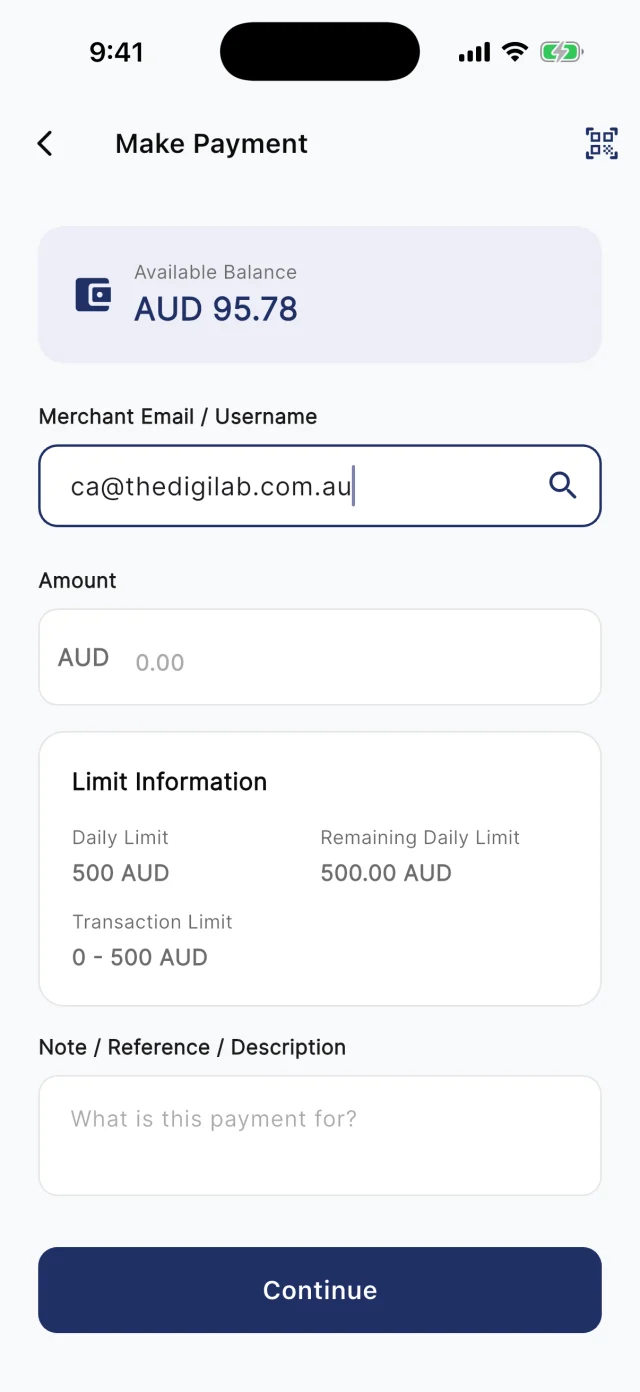
At the counter, customers scan your board. Away from it, they type your registered email into Make Payment. Either way they check the amount and pay from their QwikPay wallet, and every payment earns them points.

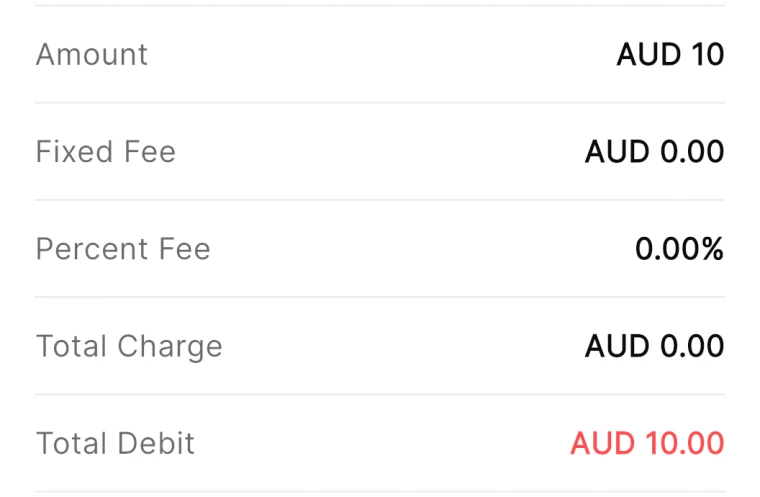
QwikPay review screen showing a fixed fee of AUD 0.00 and a percent fee of 0.00%
The review screen before every payment
QwikPay Make Payment screen with a merchant email entered
Paying by the business's email
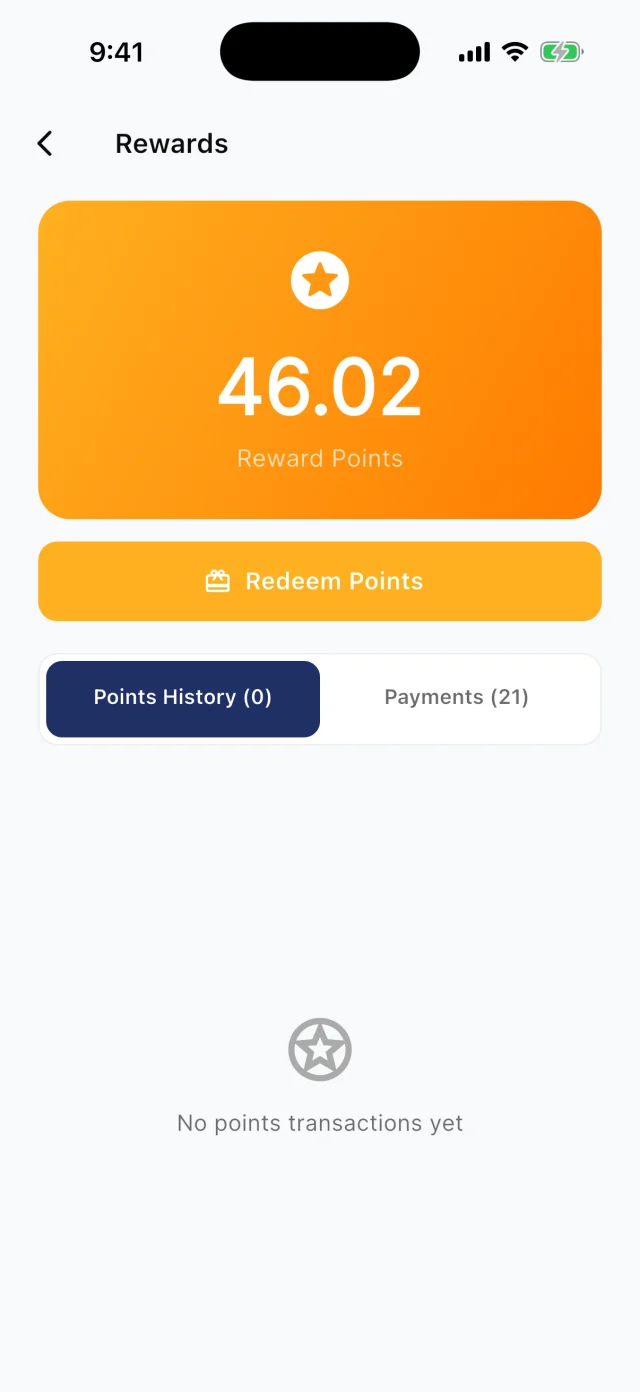
QwikPay Rewards screen showing a reward points balance
Points from every payment

Your first customers

They already buy from you. Start there.

You do not need new customers to get started. Ask the ones you have to download QwikPay and have it ready for their next visit. They earn points, they can follow you for offers, and you keep 100% of what they pay.

Proposal email · Email

Your website proposal

Hi Ben, thanks for the chat. Your proposal is attached. To get started, the 40% deposit is $800, and you can pay it in the QwikPay app using our email, [your QwikPay email]. Download QwikPay here: qwikpay.com.au/download. You earn reward points on each payment, and it means I keep 100% of what you pay. Cheers, [your business]

Swap in your registered QwikPay email before you send it.
  1. 1

    Put it in your proposal

    Your proposal asks the client to download QwikPay and pay the deposit using your email.

  2. 2

    Retainer clients first

    Clients on a monthly retainer switch once and pay the same way every month.

  3. 3

    Add it to your invoices

    Every invoice email gives the download link and your QwikPay email.

  4. 4

    Tell clients why

    "It saves me card fees, so I can keep my rates where they are, and you earn points." Most clients are happy to help.

A normal week

Two ways it plays out at a studio

Website project in three stages

A web designer charges 40% to start, 40% at design sign-off and 20% at launch.

  1. The proposal asks the client to download QwikPay
  2. Each stage is paid in the app using your email
  3. Payments show in the Merchant App

What changes

Paid at every stage with no card fees on any of them.

Music lessons by the term

A music teacher bills 30 students each term.

  1. Email parents the term fee, the download link and your QwikPay email
  2. Parents pay in the app
  3. Track payments in the Merchant Portal

What changes

One habit per family and no chasing.

Rewards and offers

The first payment is easy. The next visit is the point.

Every QwikPay payment earns your customer 1 Qwik Point per $1, which they turn into wallet credit at QwikPay businesses.

With QwikClub, customers with the app can follow your business. You choose an offer's discount, hours and how many people can use it, and your followers and nearby customers see it in the app.

Offers are coming with QwikClub

Your studioSelected items
15%off

A brand starter package this month

Applied when you payQwikPay

Packaged services

Discount a fixed package to bring in new clients.

Your studioFlash offer
20%off

Two mini photo sessions this Sunday

Applied when you payQwikPay

Open spots

Fill a gap in your schedule with a short offer.

Card surcharges are banned, but a clearly disclosed discount for paying with QwikPay is allowed. Keep the terms of each offer clear.

Questions we get asked

How do clients pay a deposit or milestone?

They open the QwikPay app, enter your registered email and pay. You can also send a Pay Link if a client prefers one.

Can I use it for retainers?

Yes. Clients pay each month in the app, or you can set up a subscription Pay Link.

What does it cost?

Zero transaction fees. You keep 100% of each QwikPay payment.

Start with the customers you already have.

Apply online. Once you are approved, your QR kit arrives and your regulars can pay you through QwikPay.

Fees
Zero transaction fees
At the counter
QR board and poster
Remote payments
In the app with your email
Manage it
Merchant App and Portal