
Locals walk past you every day. Give them a reason to come in.

Local retail competes with online stores that never close. Get your regulars to download QwikPay and they earn points on every purchase while you pay zero transaction fees. With QwikClub, they can also follow your shop and see your offers.

Built for grocers and supermarkets, newsagents, gift and design stores, florists, fashion and pre-loved.

9:41
YSYour shop

Text Message · SMS
Today 4:10 pm

Hi Priya, thanks for your order! Your total is $85 including delivery on Saturday. You can pay in the QwikPay app using our email, hello@yourshop.com.au, so there is no need to read out card details. New to QwikPay? Download it here: qwikpay.com.au/download. You earn reward points every time, and we keep 100% of what you pay. Your shop
QwikPay
QwikPay: pay and earn points
qwikpay.com.au
Text Message
Reply to a phone or Instagram order
Every sale

loses its card fee off the top of your margin.

Retail margins are thin before rent, stock and wages. Since 1 October 2026 you cannot surcharge cards, so every QwikPay sale keeps that fee in your till. QwikPay charges merchants zero transaction fees.

Where QwikPay fits in your day

01

A QR beside the register

Customers open QwikPay, scan your board, enter the amount and pay. It works alongside your existing POS and terminal.

02

Phone and DM orders in the app

A customer orders flowers by phone or a dress on Instagram. They pay in QwikPay using your registered email, so nobody reads out a card number. A Pay Link is an option if they want one.

03

Offers that move stock

With QwikClub, post a selected-items offer on seasonal stock. Customers who follow your shop see it in the app.

In the app

No card details, no terminal, nothing added at checkout.

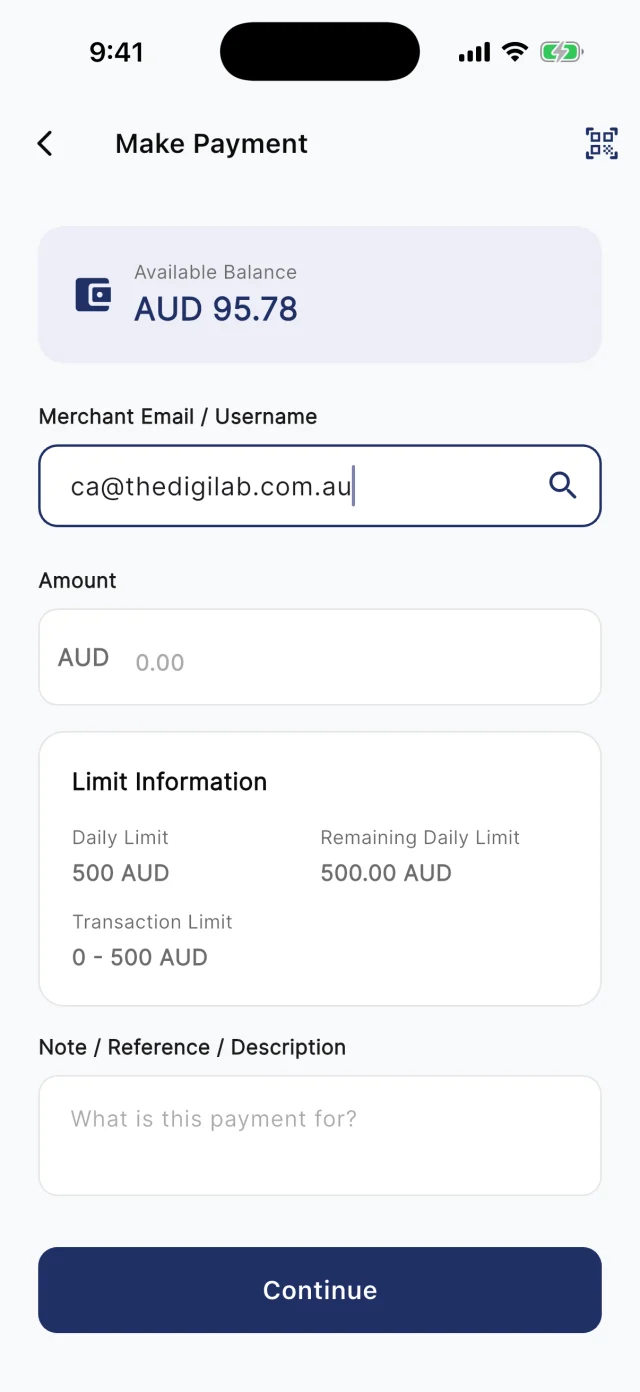
At the counter, customers scan your board. Away from it, they type your registered email into Make Payment. Either way they check the amount and pay from their QwikPay wallet, and every payment earns them points.

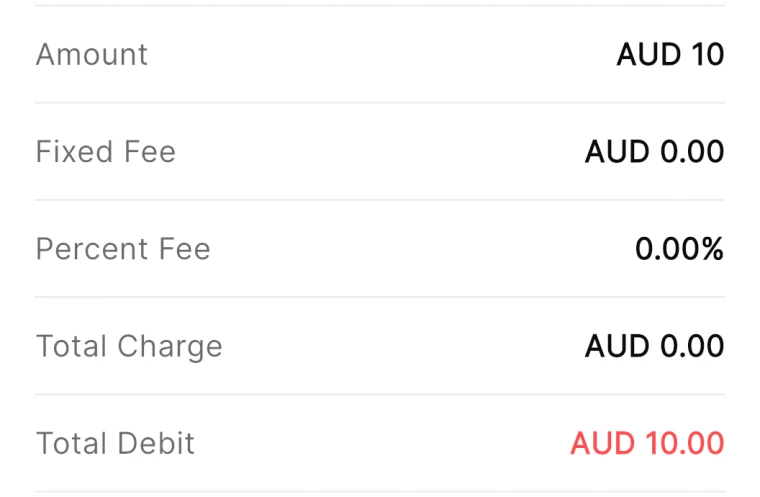
QwikPay review screen showing a fixed fee of AUD 0.00 and a percent fee of 0.00%
The review screen before every payment
QwikPay Make Payment screen with a merchant email entered
Paying by the business's email
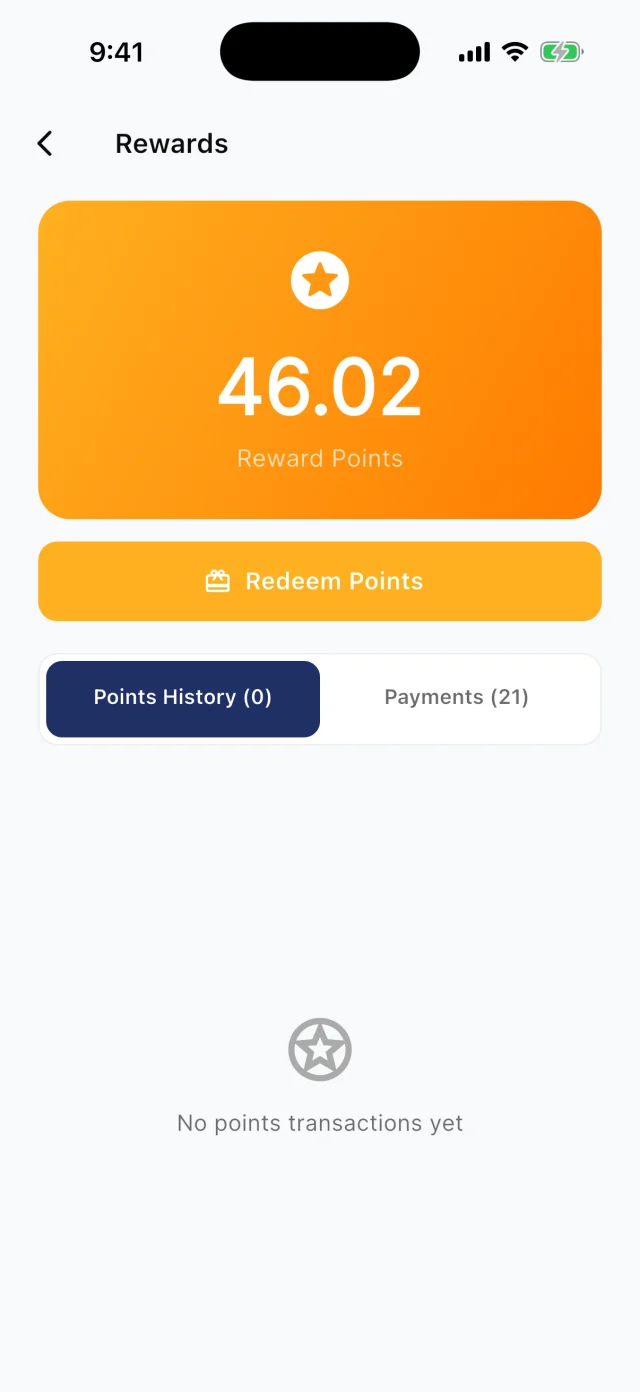
QwikPay Rewards screen showing a reward points balance
Points from every payment

Your first customers

They already buy from you. Start there.

You do not need new customers to get started. Ask the ones you have to download QwikPay and have it ready for their next visit. They earn points, they can follow you for offers, and you keep 100% of what they pay.

Reply to a phone or Instagram order · Text

Hi Priya, thanks for your order! Your total is $85 including delivery on Saturday. You can pay in the QwikPay app using our email, [your QwikPay email], so there is no need to read out card details. New to QwikPay? Download it here: qwikpay.com.au/download. You earn reward points every time, and we keep 100% of what you pay. [your business]

Swap in your registered QwikPay email before you send it.
  1. 1

    Ask your daily regulars first

    The person who buys the paper or milk every morning is your easiest first QwikPay customer. "Download QwikPay for next time. You earn points on everything here."

  2. 2

    Put the board where people queue

    Customers read while they wait. Put the board at eye level at the register so they download the app before their turn.

  3. 3

    Make the app your phone-order default

    For every phone, email or Instagram order, send the download link and your QwikPay email. Customers who pay that way once usually stick with it.

  4. 4

    Tell your street

    A poster in the window and a post in your local Facebook group tell locals they can earn points with you.

A normal week

Two ways it plays out at a shop

Florist phone orders

A florist takes most orders by phone for delivery, reading card numbers out loud.

  1. Text the customer the QwikPay download link and your email
  2. They pay in the app using your registered email
  3. Confirm the delivery when the payment comes through

What changes

No card numbers over the phone, no card fees, and a customer with your shop in their app.

Coming with QwikClub

Clearing seasonal stock

A gift store has winter stock left in spring.

  1. Post a selected-items offer on the winter range
  2. Set an expiry at the end of the month
  3. Followers and nearby users see it and save it

What changes

Stock moves without a storewide sale.

Rewards and offers

The first payment is easy. The next visit is the point.

Every QwikPay payment earns your customer 1 Qwik Point per $1, which they turn into wallet credit at QwikPay businesses.

With QwikClub, customers with the app can follow your business. You choose an offer's discount, hours and how many people can use it, and your followers and nearby customers see it in the app.

Offers are coming with QwikClub

Your shopSelected items
25%off

The winter range until 30 November

Applied when you payQwikPay

Move selected stock

Discount one range or category, not the whole store.

Your shopQuiet hours
10%off

Before 11am on weekdays

Applied when you payQwikPay

Weekday mornings

Bring locals in during your quietest hours.

Your shopFlash offer
20%off

For the first 30 shoppers this Saturday

Applied when you payQwikPay

Flash sale

A short offer with a cap on redemptions creates urgency.

Card surcharges are banned, but a clearly disclosed discount for paying with QwikPay is allowed. Keep the terms of each offer clear.

Questions we get asked

Does QwikPay work with my POS?

QwikPay runs alongside your POS. Customers pay in the QwikPay app by scanning your board, and you see the payment in the Merchant App and Portal.

How do customers pay for phone orders?

They open QwikPay, enter your registered email and pay. You can also send a Pay Link if a customer prefers one.

What does it cost?

Zero transaction fees. You keep 100% of each QwikPay sale.

Start with the customers you already have.

Apply online. Once you are approved, your QR kit arrives and your regulars can pay you through QwikPay.

Fees
Zero transaction fees
At the counter
QR board and poster
Remote payments
In the app with your email
Manage it
Merchant App and Portal