Clients pay your invoices in the app. You keep the card fees.

Service firms invoice the same clients month after month or year after year. Ask them to download QwikPay once, and every invoice after that is paid in the app using your email, with points for them and no card fee for you.

Built for accountants and bookkeepers, it support, insurance brokers, travel agents, consultants and engineers.

9:41
Inbox
YF
Your firm4:10 pm
To: Me
Invoice 1042 for October

Hi David, please find attached invoice 1042 for October bookkeeping ($550). You can pay it in the QwikPay app using our email, hello@yourfirm.com.au. Download QwikPay here: qwikpay.com.au/download. You earn reward points each time you pay, and it saves us card fees, which helps us keep our prices steady. Thanks, Your firm

Invoice email
$880

on one quarterly BAS invoice, with a card fee that can pass $15.

Large invoices carry large card fees, and recurring clients pay them month after month. Since 1 October 2026 you cannot surcharge, so getting clients onto QwikPay is the simplest way to keep it. QwikPay charges merchants zero transaction fees.

Where QwikPay fits in your day

01

Invoices paid in the app

Your invoice email gives your QwikPay email. Clients open the app, enter it and pay. You see the payment in the Merchant App and Portal.

02

Recurring clients, one habit

Monthly bookkeeping, IT support retainers or annual returns: clients who pay in QwikPay once keep doing it.

03

Pay Links as an option

For a new client without the app, a Pay Link works too. Most switch to the app for the next invoice.

In the app

No card details, no terminal, nothing added at checkout.

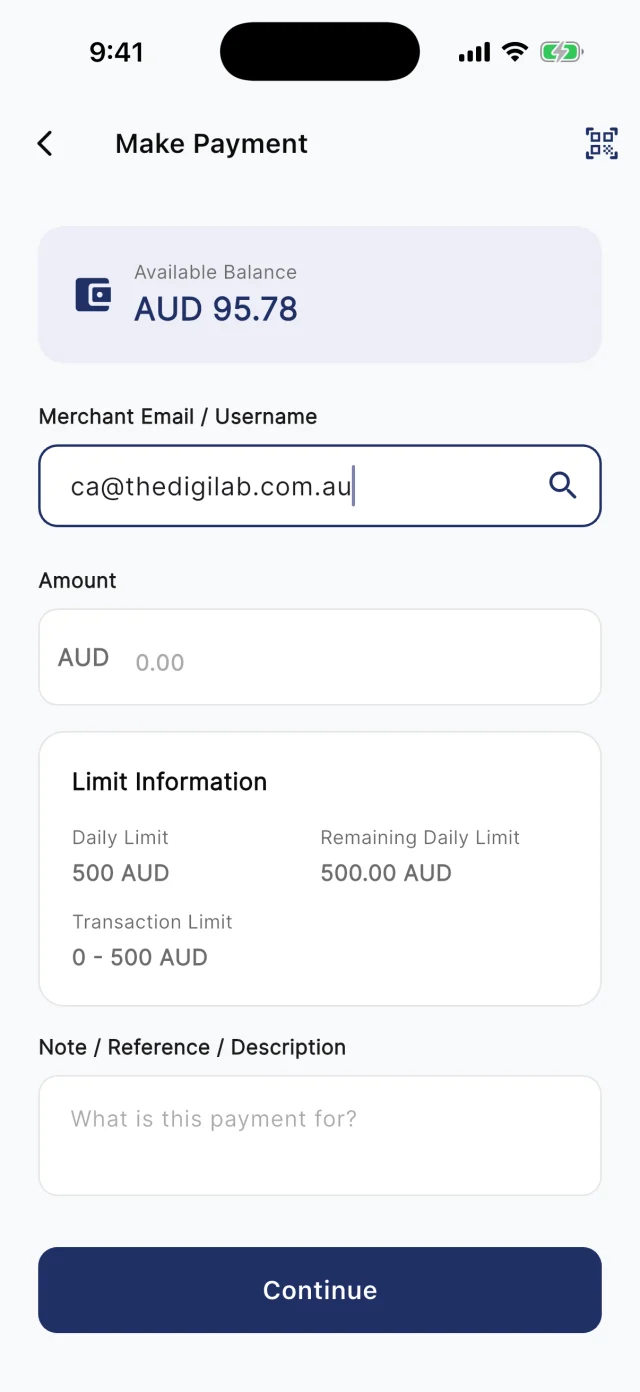
At the counter, customers scan your board. Away from it, they type your registered email into Make Payment. Either way they check the amount and pay from their QwikPay wallet, and every payment earns them points.

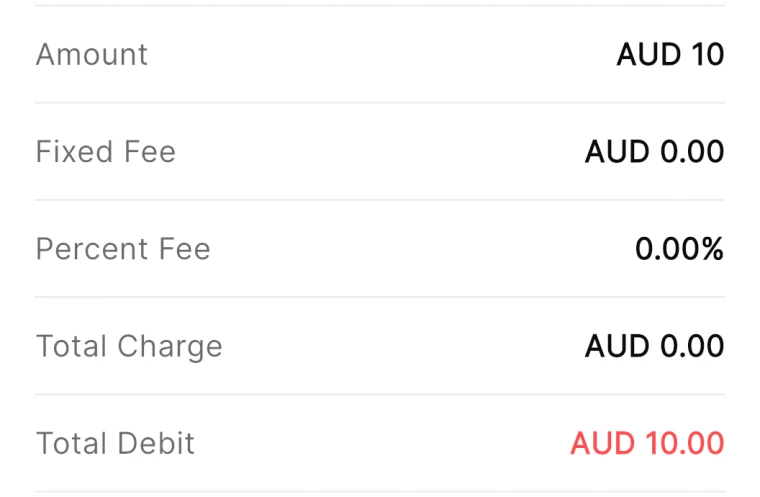
QwikPay review screen showing a fixed fee of AUD 0.00 and a percent fee of 0.00%
The review screen before every payment
QwikPay Make Payment screen with a merchant email entered
Paying by the business's email
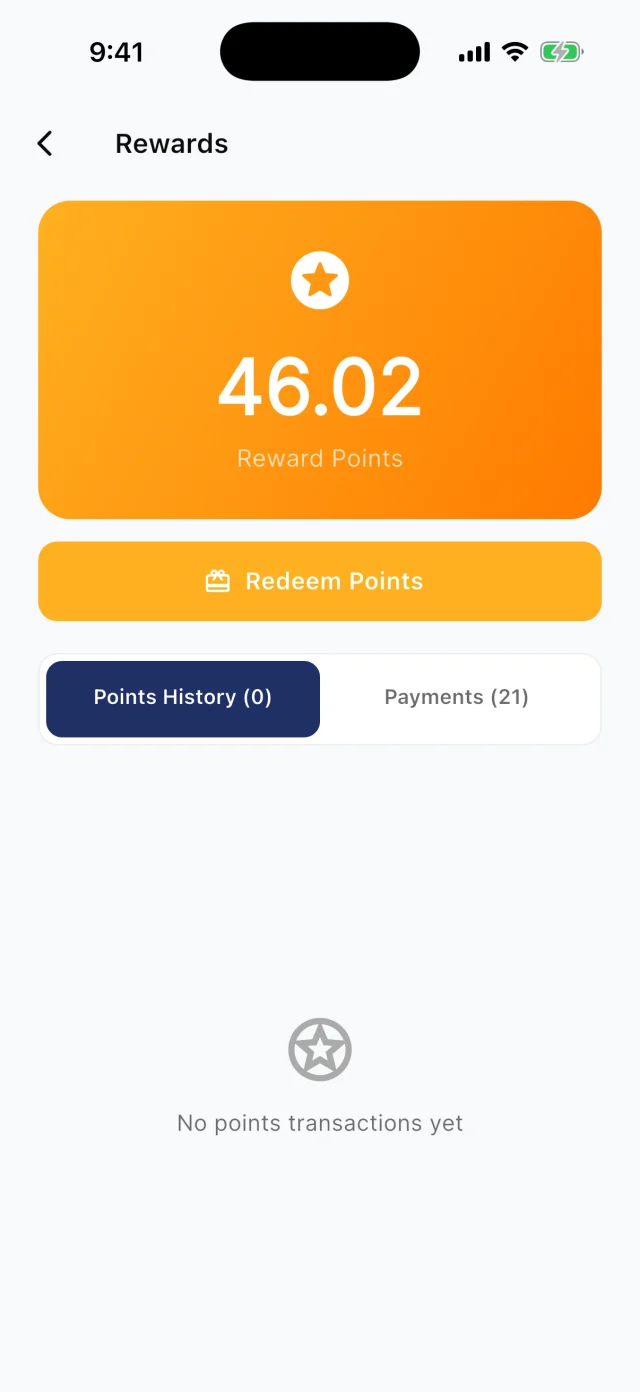
QwikPay Rewards screen showing a reward points balance
Points from every payment

Your first customers

They already buy from you. Start there.

You do not need new customers to get started. Ask the ones you have to download QwikPay and have it ready for their next visit. They earn points, they can follow you for offers, and you keep 100% of what they pay.

Invoice email · Email

Invoice 1042 for October

Hi David, please find attached invoice 1042 for October bookkeeping ($550). You can pay it in the QwikPay app using our email, [your QwikPay email]. Download QwikPay here: qwikpay.com.au/download. You earn reward points each time you pay, and it saves us card fees, which helps us keep our prices steady. Thanks, [your business]

Swap in your registered QwikPay email before you send it.
  1. 1

    Start with your next invoice run

    Add the download link and your QwikPay email to your invoice email template, and every client sees it.

  2. 2

    Tell your best clients personally

    "We now take QwikPay. It saves us card fees, which helps us keep our prices where they are, and you earn points." Clients appreciate honesty.

  3. 3

    Put it in your email signature

    A short line like "Pay us with QwikPay" and the download link reminds clients every time you email.

  4. 4

    Use it at meetings

    If clients visit your office, keep the QwikPay board at reception.

A normal week

Two ways it plays out at a firm

Monthly bookkeeping clients

A bookkeeper invoices 40 small business clients every month.

  1. The invoice email gives the download link and your QwikPay email
  2. Clients pay in the app using that email
  3. Payments show in the Merchant Portal

What changes

Faster payment and no card fees on recurring invoices.

Tax time

An accountant prepares 300 individual tax returns at $250 each.

  1. The engagement email asks the client to download QwikPay
  2. They pay the fee in the app using your email when the return is lodged
  3. Payments show in the Merchant Portal

What changes

No card fee on any of the 300 returns, and points for every client.

Rewards and offers

The first payment is easy. The next visit is the point.

Every QwikPay payment earns your customer 1 Qwik Point per $1, which they turn into wallet credit at QwikPay businesses.

With QwikClub, customers with the app can follow your business. You choose an offer's discount, hours and how many people can use it, and your followers and nearby customers see it in the app.

Offers are coming with QwikClub

Your firmSelected items
10%off

Business plan reviews in January

Applied when you payQwikPay

Seasonal services

Discount a specific service in your quiet season.

Your firmWhole bill
15%off

Your first job with us

Applied when you payQwikPay

New client offer

A first-job discount for new clients who find you in the app.

Card surcharges are banned, but a clearly disclosed discount for paying with QwikPay is allowed. Keep the terms of each offer clear.

Questions we get asked

How do clients pay an invoice with QwikPay?

They open the QwikPay app, enter your registered email and pay the invoice amount. You can also send a Pay Link if a client prefers one.

Is there a limit on how much a client can pay?

Yes. Clients can pay up to $1,000 a day with QwikPay, from a wallet they top up by PayID or PayTo. Larger invoices can be split into instalments paid on different days.

What does it cost?

Zero transaction fees. You keep 100% of each QwikPay payment.

Start with the customers you already have.

Apply online. Once you are approved, your QR kit arrives and your regulars can pay you through QwikPay.

Fees
Zero transaction fees
At the counter
QR board and poster
Remote payments
In the app with your email
Manage it
Merchant App and Portal