Term fees, class packs and casual visits, all without card fees.

Activities run on terms, packs and regular sessions. Ask families and members to download QwikPay once. They pay the term fee in the app using your email, scan at the front desk for casual visits, and earn points on all of it.

Built for gyms and pt studios, yoga and pilates, swim schools, dance and martial arts, kids play centres and laser tag.

9:41
Inbox
YS
Your swim school4:10 pm
To: Me
Term 1 swimming for Ava

Hi Emma, Ava's spot in the Tuesday 4pm class is held for Term 1. The term fee is $240, and you can pay it in the QwikPay app using our email, hello@yourswimschool.com.au. If you do not have QwikPay yet, download it here: qwikpay.com.au/download. You earn reward points on every payment, and it means our swim school keeps 100% of the fee. See you poolside! Your swim school

Term re-enrolment email
$50,000

a term for 200 kids at $250 each.

Term fees arrive in one big run, and the card fees arrive with them. Since 1 October 2026 you cannot surcharge cards, so those fees come straight out of your margin. QwikPay charges merchants zero transaction fees.

Where QwikPay fits in your day

01

Term fees paid in the app

Families open QwikPay, enter your registered email and pay the term fee. You see each payment in the Merchant App and Portal.

02

Casual visits and the kiosk

Casual classes, kiosk sales and birthday party balances are a scan at the front desk.

03

Pay Links for memberships

Pay Links can be set up for products, services or subscriptions, so they are an option for class packs and memberships.

In the app

No card details, no terminal, nothing added at checkout.

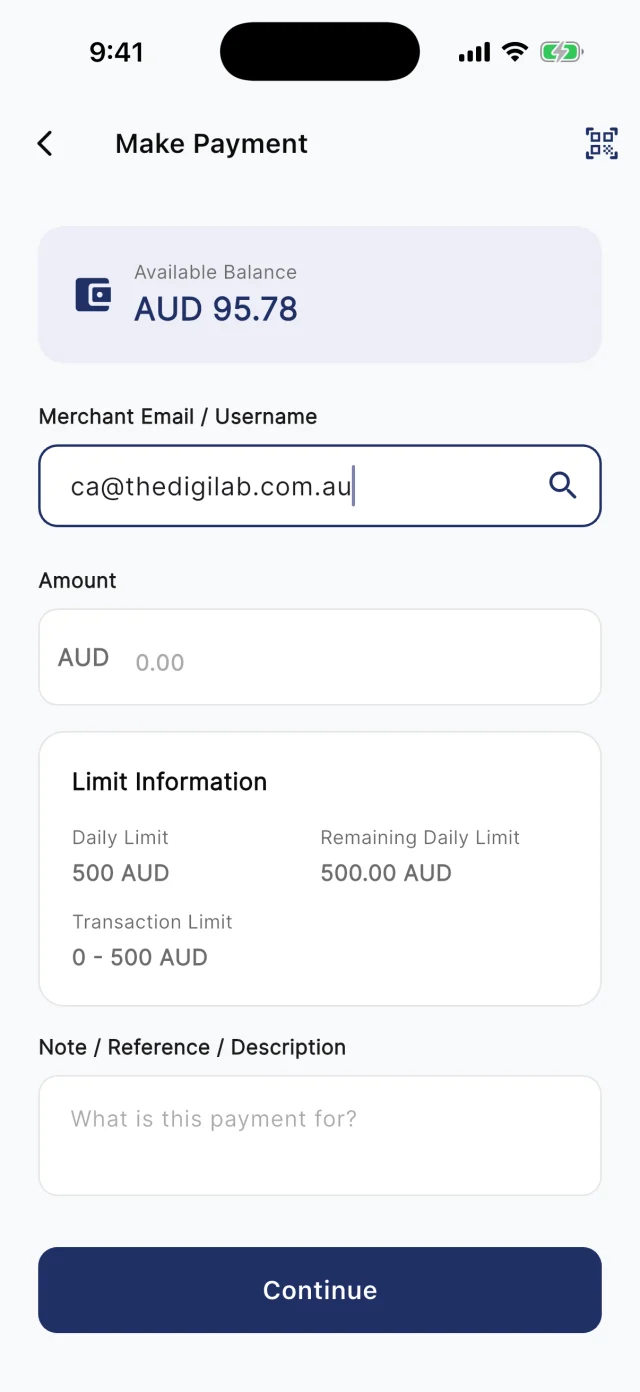
At the counter, customers scan your board. Away from it, they type your registered email into Make Payment. Either way they check the amount and pay from their QwikPay wallet, and every payment earns them points.

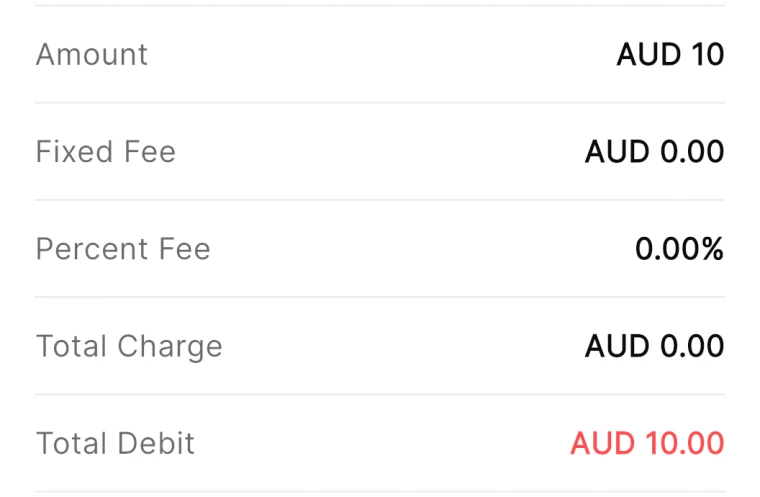
QwikPay review screen showing a fixed fee of AUD 0.00 and a percent fee of 0.00%
The review screen before every payment
QwikPay Make Payment screen with a merchant email entered
Paying by the business's email
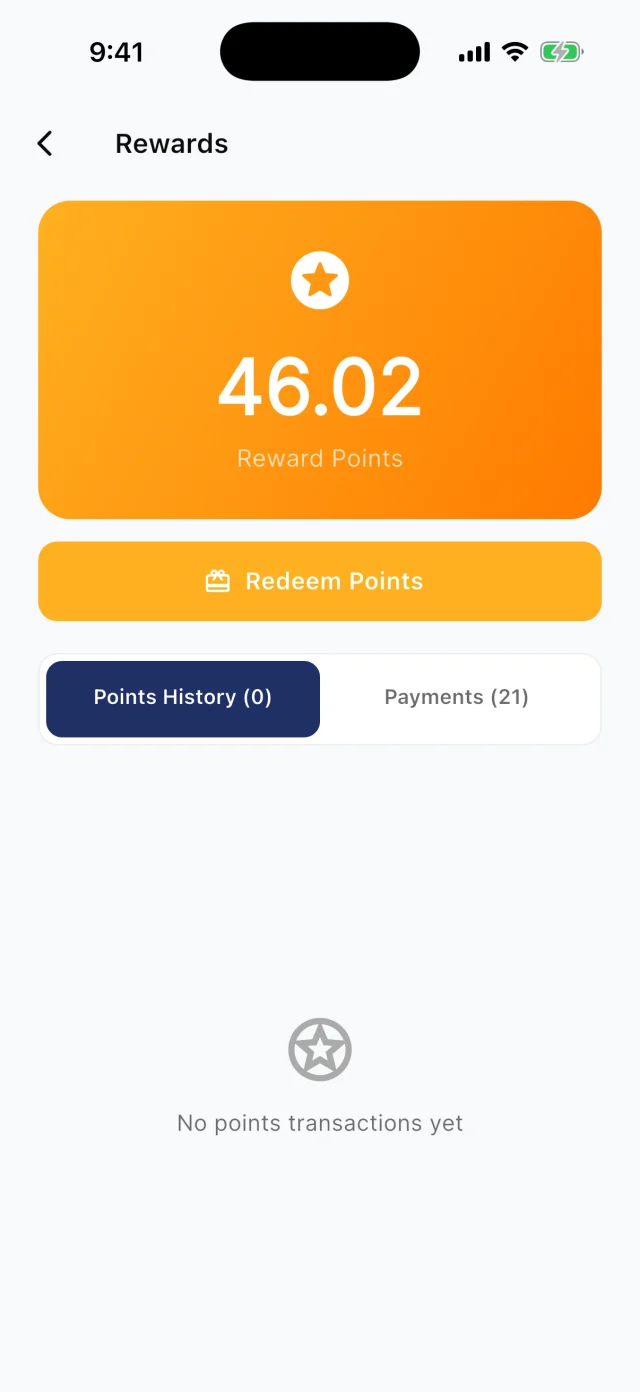
QwikPay Rewards screen showing a reward points balance
Points from every payment

Your first customers

They already buy from you. Start there.

You do not need new customers to get started. Ask the ones you have to download QwikPay and have it ready for their next visit. They earn points, they can follow you for offers, and you keep 100% of what they pay.

Term re-enrolment email · Email

Term 1 swimming for Ava

Hi Emma, Ava's spot in the Tuesday 4pm class is held for Term 1. The term fee is $240, and you can pay it in the QwikPay app using our email, [your QwikPay email]. If you do not have QwikPay yet, download it here: qwikpay.com.au/download. You earn reward points on every payment, and it means our swim school keeps 100% of the fee. See you poolside! [your business]

Swap in your registered QwikPay email before you send it.
  1. 1

    Start with re-enrolment

    Term re-enrolment is when every family pays. Put the download link and your QwikPay email in the re-enrolment email.

  2. 2

    Tell parents at pickup

    Parents wait poolside or in the foyer with their phones out. A poster there gets the app downloaded.

  3. 3

    Ask your coaches and instructors

    Members trust their coach. "Download QwikPay for next term, you earn points on the fees" goes a long way.

  4. 4

    Use it for birthday parties

    Party families pay the deposit in the app and the balance by QR on the day, and leave with the app installed.

A normal week

Two ways it plays out at a swim school

Swim school term fees

A swim school emails 300 families every term and chases late payments.

  1. The re-enrolment email asks families to download QwikPay
  2. Families pay the term fee in the app using your email
  3. Track payments in the Merchant Portal

What changes

Families pay the same way every term, earn points on a big fee, and you keep the card fees.

Coming with QwikClub

Filling off-peak classes

A pilates studio is full at 6am and 6pm but half empty at 10am.

  1. Post a quiet-hours offer for midday classes
  2. Members who follow you see it in the app
  3. They book and pay with QwikPay

What changes

Midday classes fill with people who could never make 6pm.

Rewards and offers

The first payment is easy. The next visit is the point.

Every QwikPay payment earns your customer 1 Qwik Point per $1, which they turn into wallet credit at QwikPay businesses.

With QwikClub, customers with the app can follow your business. You choose an offer's discount, hours and how many people can use it, and your followers and nearby customers see it in the app.

Offers are coming with QwikClub

Your swim schoolQuiet hours
20%off

10am and 2pm classes

Applied when you payQwikPay

Off-peak sessions

Discount only the sessions with spare spots.

Your swim schoolSelected items
25%off

A 5-class intro pack

Applied when you payQwikPay

Intro packs

Bring new members in with a discount on a starter pack.

Your swim schoolFlash offer
15%off

The last 10 holiday camp spots

Applied when you payQwikPay

Holiday program spots

Fill the last places in a holiday program fast.

Card surcharges are banned, but a clearly disclosed discount for paying with QwikPay is allowed. Keep the terms of each offer clear.

Questions we get asked

How do parents pay term fees with QwikPay?

They open the QwikPay app, enter your registered email and pay. You can also send a Pay Link if a family prefers one.

Do you support memberships?

Pay Links can be set up for products, services or subscriptions. Talk to us about the setup that suits your memberships.

What does it cost?

Zero transaction fees. You keep 100% of each QwikPay payment.

Start with the customers you already have.

Apply online. Once you are approved, your QR kit arrives and your regulars can pay you through QwikPay.

Fees
Zero transaction fees
At the counter
QR board and poster
Remote payments
In the app with your email
Manage it
Merchant App and Portal