Patients come back on a plan. Let them pay the same easy way every time.

Allied health runs on treatment plans: weekly adjustments, fortnightly sessions, follow-ups. Ask patients to download QwikPay once, and every gap or private fee after that is a scan at reception, or a payment in the app for telehealth.

Built for chiropractors and physios, psychologists and counsellors, medical centres and skin clinics, natural therapies, day surgeries.

9:41
Inbox
YP
Your practice4:10 pm
To: Me
Your appointment on Monday at 3pm

Hi James, this is a reminder of your appointment on Monday at 3pm. You can pay your gap or private fee with the QwikPay app, so please download it before you arrive: qwikpay.com.au/download. Then simply scan our code at reception. For telehealth, open QwikPay and pay using our email, hello@yourpractice.com.au. You earn reward points each time, and it helps the practice keep 100% of your fee. Kind regards, Your practice

Appointment reminder
$150

per session, with a card fee on every one.

Treatment plans mean the same patients pay you week after week. Since 1 October 2026 card fees cannot be passed on to patients, so the practice absorbs every one. QwikPay charges merchants zero transaction fees.

Where QwikPay fits in your day

01

Gap and private fees by QR

Keep your health fund claiming as it is. For the gap or a private fee, patients open QwikPay and scan the board at reception.

02

Telehealth paid in the app

Telehealth patients are not at your desk. They open QwikPay, enter the practice's registered email and pay. No card numbers over the phone.

03

Pay Links as a backup

For a patient who has not set up the app yet, reception can send a Pay Link instead. Most will download the app for the next visit.

In the app

No card details, no terminal, nothing added at checkout.

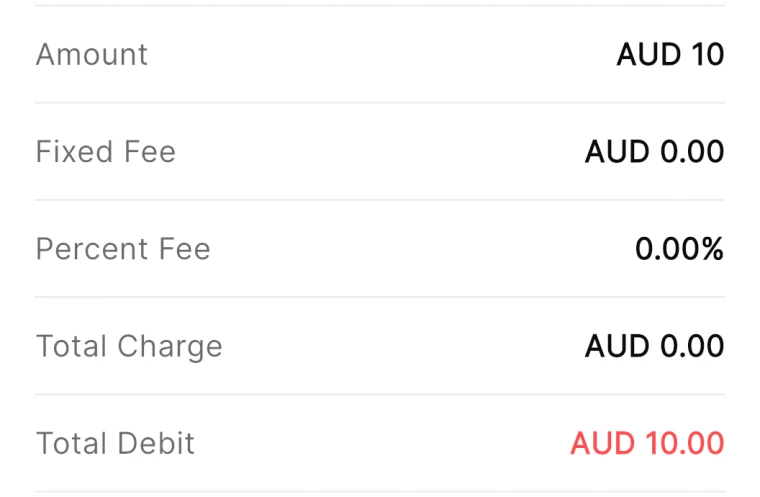
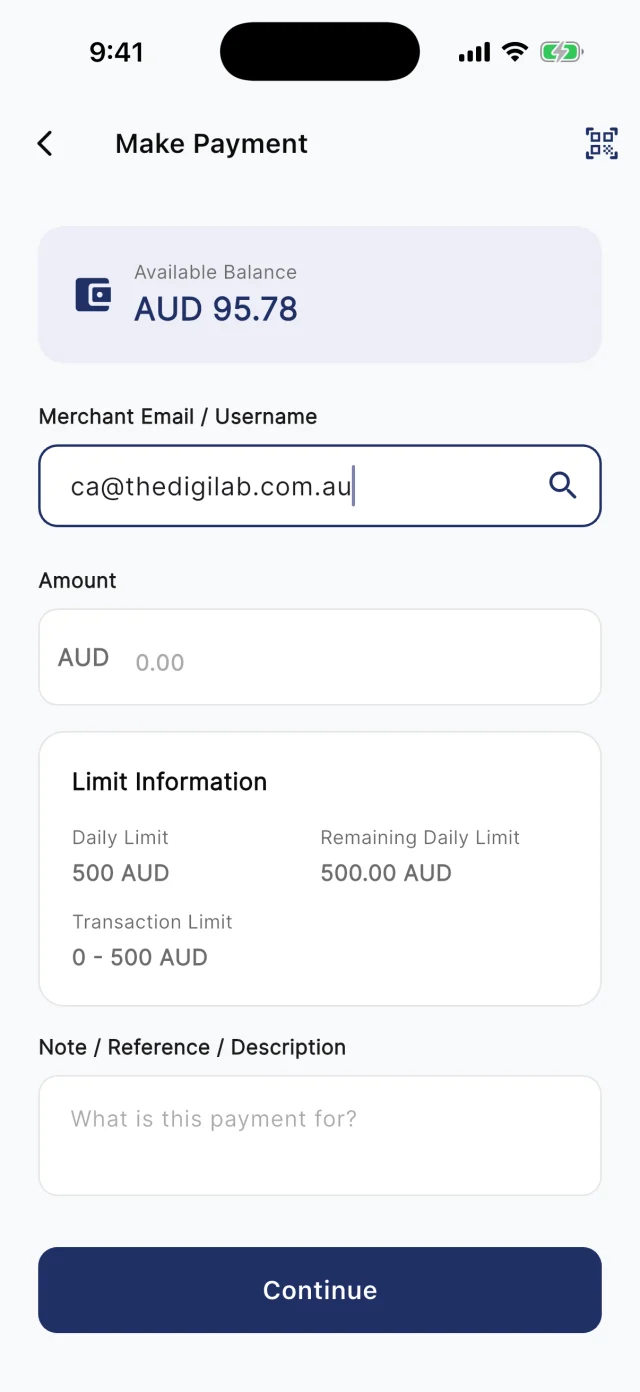
At the counter, customers scan your board. Away from it, they type your registered email into Make Payment. Either way they check the amount and pay from their QwikPay wallet, and every payment earns them points.

QwikPay review screen showing a fixed fee of AUD 0.00 and a percent fee of 0.00%
The review screen before every payment
QwikPay Make Payment screen with a merchant email entered
Paying by the business's email
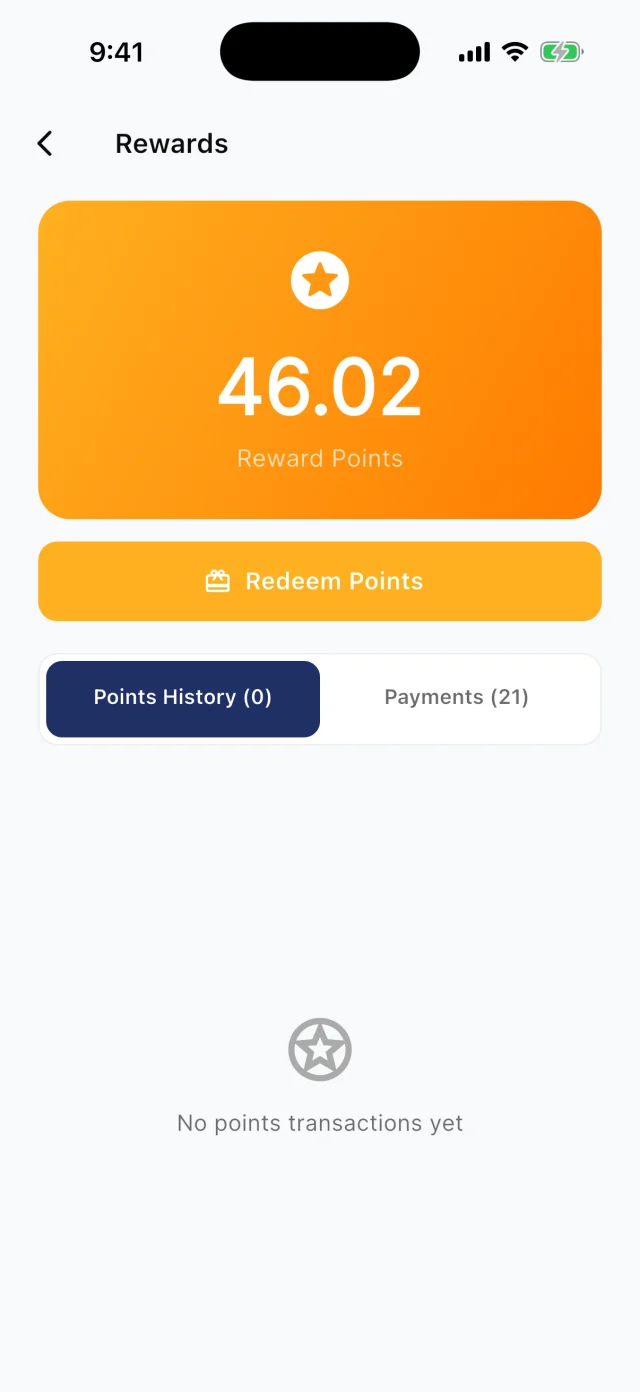
QwikPay Rewards screen showing a reward points balance
Points from every payment

Your first customers

They already buy from you. Start there.

You do not need new customers to get started. Ask the ones you have to download QwikPay and have it ready for their next visit. They earn points, they can follow you for offers, and you keep 100% of what they pay.

Appointment reminder · Email

Your appointment on Monday at 3pm

Hi James, this is a reminder of your appointment on Monday at 3pm. You can pay your gap or private fee with the QwikPay app, so please download it before you arrive: qwikpay.com.au/download. Then simply scan our code at reception. For telehealth, open QwikPay and pay using our email, [your QwikPay email]. You earn reward points each time, and it helps the practice keep 100% of your fee. Kind regards, [your business]

Swap in your registered QwikPay email before you send it.
  1. 1

    Start with patients on a plan

    Patients booked in for six or more sessions are the best place to start. One conversation covers every visit in the plan.

  2. 2

    Let reception do the asking

    "Before your next visit, download QwikPay. You can pay your gap with it and earn reward points." Reception sees every patient, so give them the line.

  3. 3

    Add one line to reminders

    Your practice software already sends reminders. Add a line asking patients to download QwikPay and have it ready for their appointment.

  4. 4

    Put the poster in the waiting room

    Patients have time to read in the waiting room. The QwikPay poster lets them download the app before they reach the desk.

A normal week

Two ways it plays out at a practice

Weekly chiropractic plan

A chiropractor sees patients weekly for eight weeks, with a $45 gap after their health fund claim.

  1. The reminder asks the patient to download QwikPay
  2. Claim through your health fund terminal as usual
  3. The patient scans the QwikPay board for the gap

What changes

Faster checkout at reception, points for the patient and no card fees on eight gap payments.

Telehealth psychology sessions

A psychologist runs half of their sessions by video and chases payment by invoice.

  1. The session confirmation includes the QwikPay download link and practice email
  2. After the session, the client pays in the app using that email
  3. The payment shows in your Merchant App

What changes

Fewer unpaid invoices and no card details to handle over the phone.

Rewards and offers

The first payment is easy. The next visit is the point.

Every QwikPay payment earns your customer 1 Qwik Point per $1, which they turn into wallet credit at QwikPay businesses.

With QwikClub, customers with the app can follow your business. You choose an offer's discount, hours and how many people can use it, and your followers and nearby customers see it in the app.

Offers are coming with QwikClub

Your practiceSelected items
15%off

Support pillows this month

Applied when you payQwikPay

Products in the clinic

Offer a discount on retail items you sell, like pillows, supports or skincare, rather than on clinical services.

Your practiceQuiet hours
10%off

Massage bookings Monday to Wednesday mornings

Applied when you payQwikPay

Off-peak non-clinical services

For services like remedial massage, a quiet-hours offer can fill early-week gaps.

Card surcharges are banned, but a clearly disclosed discount for paying with QwikPay is allowed. Keep the terms of each offer clear.

Questions we get asked

Does QwikPay replace my health fund terminal?

No. Keep claiming through your existing terminal. Patients use QwikPay to pay the gap or any private fee.

How do telehealth patients pay?

They open the QwikPay app, enter the practice's registered email and pay. If a patient does not have the app yet, you can send a Pay Link.

Can I discount health services?

Check your registration board's advertising guidelines before offering discounts on clinical services. Offers on retail products in your clinic are usually simpler.

Start with the customers you already have.

Apply online. Once you are approved, your QR kit arrives and your regulars can pay you through QwikPay.

Fees
Zero transaction fees
At the counter
QR board and poster
Remote payments
In the app with your email
Manage it
Merchant App and Portal